
Google Ads vs. Local Services Ads: What Is The Difference?
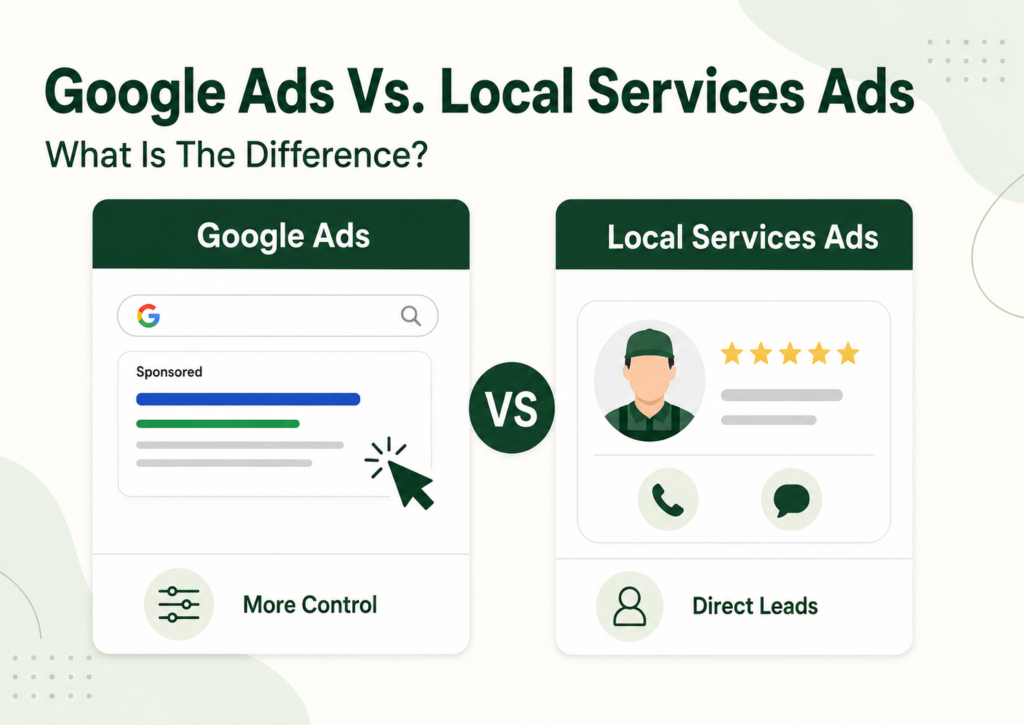
Google Ads and Local Services Ads can both put your business in front of people actively searching for help, but they are not the same channel.
Standard Google Ads gives you more control over keywords, ad copy, locations, landing pages, offers, bidding, and conversion tracking. Local Services Ads gives eligible, verified providers a shorter path to direct calls and messages through a pay-per-lead model.
The right choice depends on your category, service area, reviews, website, budget, follow-up process, and need for control.
This guide breaks down the practical differences so you can decide whether to use Google Ads, Local Services Ads, or both.
Google Ads vs. Local Services Ads: What Is The Main Difference?
Standard Google Search Ads primarily charge when someone clicks the ad and give businesses detailed control over targeting, messaging, bidding, landing pages, and conversion tracking.
Local Services Ads primarily charge for valid lead interactions and are available only to supported service categories and markets. They use information from a verified provider profile and are designed to move nearby customers more directly toward a call, message, or booking.
How Standard Google Ads Work
With a standard Search campaign, the advertiser controls much of the journey.
You can usually determine:
- Keywords or search themes
- Target locations
- Campaign schedule
- Budget
- Bidding strategy
- Headlines and descriptions
- Ad assets
- Landing page
- Conversion actions
For example, an HVAC company could create a campaign specifically for AC replacement in Phoenix, write ads around installation and financing, and send visitors to a focused AC replacement page.
Google describes standard Search Ads as customizable ads that commonly operate on a pay-per-click model. The advertiser pays for the visit, but that click is not guaranteed to become a lead or customer.
How Local Services Ads Work
Local Services Ads follow a more profile-driven model.
The listing may show:
- Business name
- Services
- Service area
- Business hours
- Reviews and rating
- Verification status
- Phone and messaging options
- Booking options where available
Customers can contact the provider directly from the Local Services experience instead of necessarily visiting a website first. Google says providers are charged for valid leads, with prices varying by location, job type, lead type, and bidding mode.
Local Services advertisers must also operate in an eligible category and market and may need to complete applicable screening, business-profile affiliation, licensing, registration, or other verification requirements.
Google Ads vs. Local Services Ads At A Glance
| Factor | Standard Google Ads | Local Services Ads |
| Main pricing model | Primarily pay per click | Pay for valid lead interactions |
| Availability | Open to a broad range of advertisers | Limited to eligible categories and markets |
| Verification | Standard advertising requirements | Local Services screening and verification may apply |
| Ad format | Custom headlines, descriptions, and assets | Provider-profile-driven listing |
| Targeting | Keywords, locations, audiences, and schedules | Job types, service areas, profile details, and availability |
| Customer destination | Website or landing page | Call, message, booking, or provider profile |
| Main advantage | Greater campaign and conversion control | Shorter route to direct local inquiries |
| Main limitation | Requires stronger campaign and landing-page management | Restricted eligibility and less granular control |
Neither One Is Automatically Better
Local Services Ads may suit an eligible emergency plumber that wants nearby calls and has someone available to respond quickly.
Standard Google Ads may suit a remodeler promoting a high-value kitchen renovation offer that requires project photos, detailed service information, financing details, and a focused landing page before the buyer requests a consultation.
A business may also use both.
The clearest distinction is:
Google Ads gives you more control over how demand is targeted, persuaded, and converted. Local Services Ads gives eligible providers a shorter route from local search to direct inquiry.
Both are paid visibility channels. Neither replaces the need for local trust, strong follow-up, and a wider search strategy. That is why the decision should also be considered alongside Google Ads vs. Local SEO for home service businesses, rather than treating one paid campaign as the entire marketing system.
Google Ads vs. Local Services Ads: How Do Pricing And Budgets Differ?
The common explanation is that Google Ads charges for clicks while Local Services Ads charges only for real customers.
That is wrong.
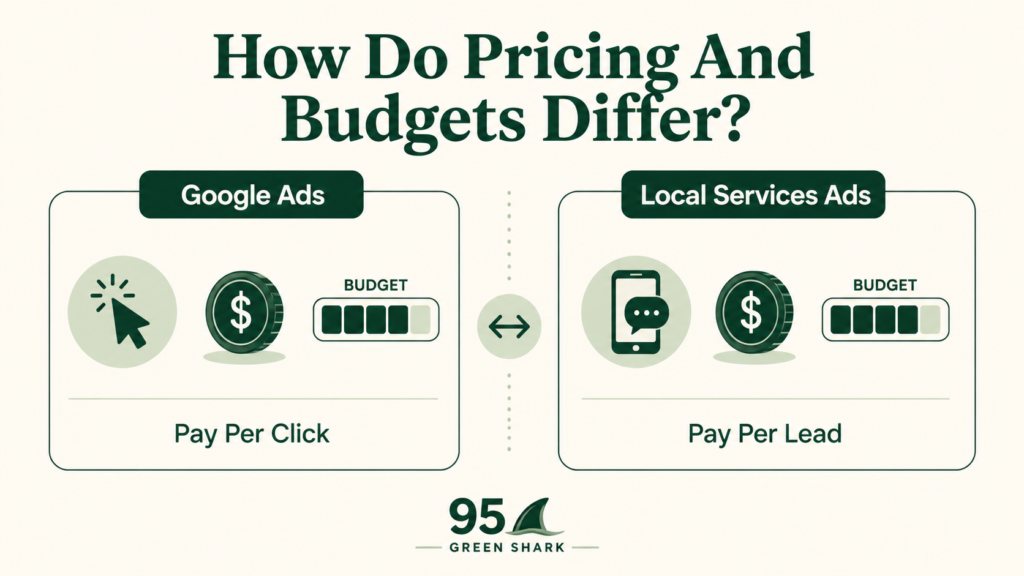
Standard Google Search Ads usually charge when someone clicks. Local Services Ads charge for valid lead interactions. Neither model guarantees that the person will become a qualified lead, accept an estimate, or book the job.
Standard Google Ads: You Pay For The Visit
With most Search campaigns, the business pays when someone clicks the ad and visits the website or landing page.
That click gives you access to the visitor. It does not guarantee:
- A qualified inquiry
- An appointment
- An estimate
- A booked project
- Revenue
One click may come from a homeowner ready to hire. Another may come from someone researching prices, looking for a service you do not provide, or comparing several businesses.
That is why standard Google Ads requires more than setting a budget. Performance also depends on:
- Keyword targeting
- Negative keywords
- Ad messaging
- Landing-page relevance
- Call tracking
- Form tracking
- Lead qualification
- Sales follow-up
Google’s conversion measurement tools allow advertisers to identify valuable actions such as calls, form submissions, sign-ups, or purchases and see which campaigns, ads, and keywords helped produce them. (Google Ads Help)
Local Services Ads: You Pay For Lead Interactions
With Local Services Ads, Google charges for valid leads received through the ad.
Lead types may include calls, messages, and other supported contact options. Prices can vary by location, job type, lead format, and bidding mode. Each charged lead counts toward the account’s budget. (Google Local Services Help)
But a charged lead is not the same as a booked customer.
The person may:
- Contact several providers
- Reject your estimate
- Stop responding
- Choose a competitor
- Postpone the project
- Request work below your preferred job value
Local Services Ads reduces the distance between the search and the inquiry. It does not remove competition or guarantee a sale.
Google may initially avoid charging for leads it identifies as invalid or low quality. Charged leads may also be reassessed later and automatically credited if Google subsequently classifies them as low quality. (Google Local Services Help)
How The Budget Structures Compare
Both platforms allow advertisers to control spending, but the reports emphasize different stages of the customer journey.
| Standard Google Ads May Report | Local Services Ads May Emphasize |
| Total cost | Total cost |
| Clicks | Leads or conversions |
| Average cost per click | Cost per lead |
| Website and call conversions | Charged lead activity |
| Cost per conversion | Lead status |
| Conversion value | Credited or uncharged leads |
Local Services Ads traditionally uses an average weekly budget based on the desired number of leads. Spending may exceed that weekly average during some weeks, but Google says the account will not exceed its monthly maximum.
Google is also transitioning Local Services campaigns into a more integrated Google Ads experience. Migrated advertisers will manage Local Services activity through Google Ads while retaining the pay-per-lead model. Because rollout timing can vary, some businesses may still see the older Local Services interface.
Compare Business Outcomes, Not Just CPC And CPL
A lower cost per lead does not automatically mean a better campaign.
Suppose:
- Google Ads generates 20 leads at $100 each.
- Local Services Ads generates 30 leads at $70 each.
Local Services Ads looks better based on CPL alone.
But what if:
- Google Ads produces eight booked projects.
- Local Services Ads produces four booked projects.
The cheaper lead source was not necessarily the more profitable one.
The more useful path is: Ad Cost → Lead → Qualified Lead → Appointment → Quote → Booked Job → Revenue
So do not ask only: Which platform gives us the cheapest clicks or leads?
Ask: Which platform gives us more qualified opportunities, booked jobs, and gross profit for the amount we spend?
That is the financial comparison that actually matters.
How Do Targeting And Campaign Control Compare?
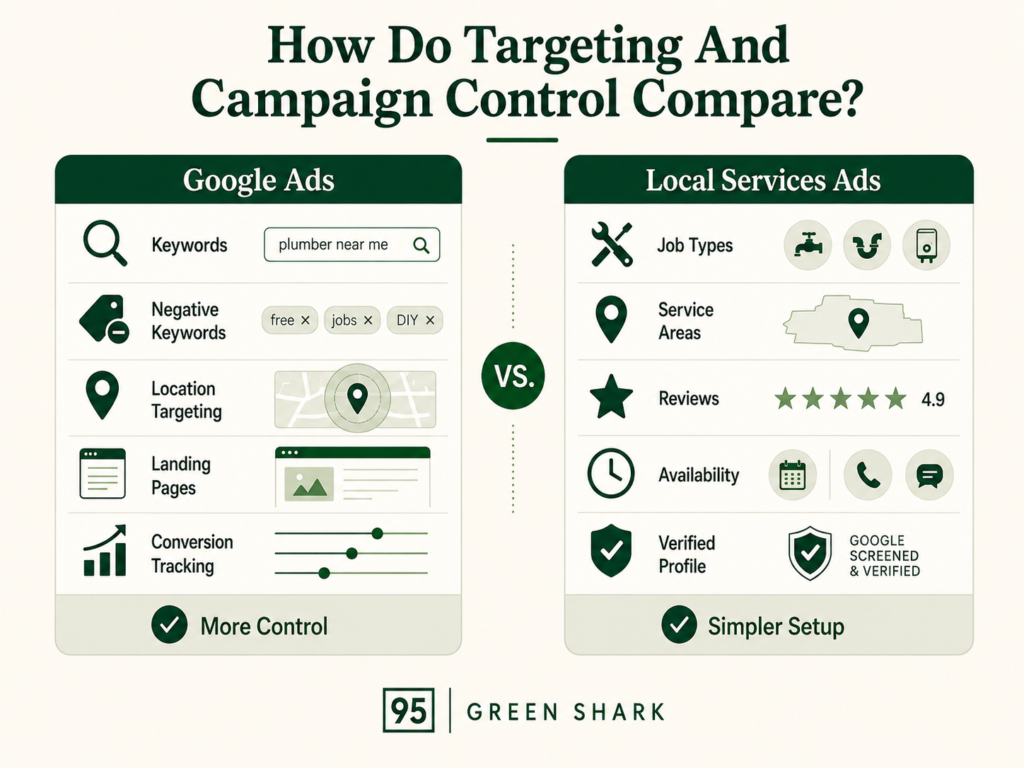
Google Ads gives advertisers more control over how searches are targeted, what prospects see, where they go, and which actions count as conversions.
Local Services Ads simplifies much of that setup. Instead of building campaigns around detailed keyword lists, ad groups, custom ads, and landing pages, the business provides approved services, job types, service areas, hours, and profile information. Google then uses those details to decide when the provider may be relevant to a local search.
Google Ads Provides More Granular Control
A standard Search campaign can be structured around specific services, customer needs, locations, and commercial goals.
Advertisers can manage:
- Keywords or search themes
- Keyword match types
- Negative keywords
- Location targeting
- Ad schedules
- Headlines and descriptions
- Ad assets
- Landing pages
- Audience signals
- Bidding strategies
- Conversion actions
Google defines keywords as words or phrases used to match ads with the terms people search for. Advertisers can use broad, phrase, and exact match to influence how closely a search needs to relate to a keyword before the ad becomes eligible. (Google Ads Help)
Negative keywords create another layer of control by preventing ads from appearing for searches the business does not want. (Google Ads Help)
For example, a roofing business could build separate campaigns for:
- Emergency roof repair
- Full roof replacement
- Commercial roofing
- Storm-damage services
- Roof financing offers
Each campaign could use different keywords, geographic settings, ads, landing pages, budgets, and conversion goals.
The emergency repair campaign could emphasize immediate response and phone calls. The roof replacement campaign could send visitors to a page featuring material options, financing, warranties, and completed projects.
That degree of separation allows the advertiser to decide not only who may see the ad, but also what message they receive and what happens after they click.
Local Services Ads Uses Job Types And Service Areas
Local Services Ads relies more heavily on business-profile information than on a conventional keyword structure.
The setup may include:
- Eligible business category
- Approved services
- Job types
- Service areas
- Business hours
- Ad availability
- Verification status
- Google Business Profile information
- Reviews and ratings
Google says businesses should set the job types they provide and the areas they serve so their ads can appear to the right local customers. (Google Local Services Help)
An HVAC company might select:
- AC repair
- AC installation
- Furnace repair
- Heating installation
- HVAC maintenance
It may then choose the cities, ZIP codes, or counties it can serve. Google uses those settings, together with the customer’s search and other auction factors, to determine whether the business may be relevant.
Google specifically states that service areas help determine where Local Services Ads can appear, while job types help determine which searches can make the ad eligible. (Google Local Services Help)
The business still makes important targeting decisions, but it does not control the search journey with the same precision available in a standard Search campaign.
Google Ads Lets You Build The Route
The central trade-off is control versus simplicity. Google Ads lets you build the route. Local Services Ads asks Google to match your verified profile with relevant local demand.
With Google Ads, the advertiser can decide:
- Which search themes deserve separate campaigns
- Which searches should be excluded
- Which offer should appear
- Which page the visitor should see
- Which CTA should be emphasized
- Which conversion should guide bidding
With Local Services Ads, the provider primarily tells Google:
- What type of business it is
- Which approved jobs it performs
- Where it works
- When it is available
- How customers can contact it
Google then handles more of the matching process.
That can reduce setup complexity, but it also limits the advertiser’s ability to build a highly specific search-to-message-to-page experience.
Why Greater Google Ads Control Can Matter
Standard Google Ads may be the stronger option when a business wants to promote one specific service or business priority.
For example, it may be useful when the company wants to:
- Push a high-margin service
- Test a seasonal offer
- Target a precise city or neighborhood
- Send traffic to a dedicated landing page
- Exclude poor-fit searches
- Separate residential and commercial campaigns
- Promote financing
- Test different calls to action
- Measure different conversion actions
- Control ad messaging closely
Consider an electrician that serves both homeowners and commercial property managers.
With Google Ads, the business could create one campaign for residential panel upgrades and another for commercial electrical maintenance. Each could have its own targeting, copy, landing page, budget, and conversion tracking.
A Local Services Ads profile may generate inquiries for approved electrical job types, but it does not provide the same level of campaign separation or messaging control.
Why The Simpler Local Services Model Can Be Attractive
Local Services Ads may be attractive when the business:
- Operates in an eligible category and market
- Has completed the required screening and verification
- Wants direct local calls or messages
- Has a strong review profile
- Serves clearly defined locations
- Can answer inquiries quickly
- Offers services that align with Google’s available job types
- Does not need a customized landing page for every inquiry
Google says Local Services businesses advertising directly through the platform undergo screening procedures that vary by category and region. These may include license, insurance, and background checks. (Google Local Services Help)
For a local plumber that mainly wants nearby repair calls, the simpler setup may be useful. The business can select the plumbing jobs it performs, define its service area, complete verification, and allow customers to contact it directly through the ad.
More Control Does Not Automatically Mean Better Results
The additional control in Google Ads is valuable only when it is used properly.
A poorly managed Search campaign can still waste money through:
- Broad or irrelevant targeting
- Missing negative keywords
- Weak ad copy
- Bad location settings
- Unfocused landing pages
- Incorrect conversion tracking
Local Services Ads can also underperform when:
- Too many irrelevant job types are selected
- Service areas are unrealistic
- Reviews are weak
- Calls go unanswered
- The provider is unavailable
- Profile information is incomplete
The real decision is not simply whether the business wants more or less control.
It is whether the business has the strategy, campaign management, website, and tracking needed to use that control effectively.
Standard Google Ads is built for businesses that want to shape the entire route from search to conversion.
Local Services Ads is built for eligible providers that want Google to connect an approved local profile with people searching for the services and locations listed in that profile.
How Do Verification, Reviews, And Trust Differ?
Local Services Ads is not simply another campaign type that every business can activate.
Standard Google Ads is broadly available to advertisers that comply with Google’s advertising and verification policies. Local Services Ads is limited to eligible categories and markets, and providers must complete the screening and verification requirements that apply to their business before they can advertise as Google Verified.
Local Services Ads Requires Provider Verification
Google says Local Services providers undergo a screening process that varies by category and location.
Depending on the business and market, the process may include:
- Business registration verification
- Owner or fieldworker identity checks
- Professional license verification
- Insurance verification
- Background checks
- Google Business Profile affiliation
- Minimum review requirements
- Additional category-specific checks
For example, a plumbing or electrical business may need to prove that it holds the licenses required in the locations it serves. Another category may face different requirements or no license check at all.
Google also requires Local Services advertisers to connect the correct public and verified Google Business Profile. This helps confirm that authorized users are managing the business’s ads, calls, and messages.
The requirements are not identical for every advertiser, so businesses should not assume that another contractor’s approval process will match their own.
What Does The Google Verified Badge Mean?
Providers that satisfy the applicable requirements may display the Google Verified badge on their Local Services Ads profile.
Google says the badge signals that the provider has passed its proprietary screening and verification process. The profile may also show the specific checks completed, giving customers more information about what Google verified.
The badge may help build confidence, but it should not be misunderstood.
It does not mean that Google:
- Guarantees the quality of every job
- Endorses every employee or service
- Promises that the provider is the best option
- Guarantees that the customer will be satisfied
- Gives the business permanent approval regardless of future changes
Licenses, insurance, profile details, and other requirements may need to remain current for the business to continue advertising.
Standard Google Ads Does Not Display The Same Badge
Standard Google Ads advertisers must still follow Google’s advertising policies and may be required to complete advertiser verification.
However, a normal Search Ad does not automatically receive or display the Local Services Google Verified badge.
Trust therefore has to be established through other parts of the customer journey, including:
- Relevant ad messaging
- Brand recognition
- A professional website
- A focused landing page
- Reviews and ratings
- Licenses and certifications
- Completed-project photos
- Case studies or testimonials
- Clear phone numbers and contact details
- Consistent business information
Consider a homeowner searching for a roofing contractor.
A standard Search Ad might promise emergency roof repair and send the visitor to a page containing before-and-after photos, insurance-claim information, reviews, service-area details, and a quote form.
A Local Services Ad may instead show the provider’s rating, review count, verification details, hours, and call option directly in the search experience.
Both formats can build trust, but they do it differently.
Reviews Are More Visible In Local Services Ads
Reviews are built directly into the Local Services Ads experience.
Google says reviews from the connected Google Business Profile may appear on the provider’s profile, including the average star rating and total number of reviews.
This allows a customer to compare several providers before visiting any website.
For example, someone looking for an electrician may see:
- Business names
- Star ratings
- Review counts
- Business hours
- Verification details
- Contact options
That can make the review profile a major part of the initial selection process.
Google also states that star rating and review count can affect how a provider ranks within Local Services Ads. Providers with stronger ratings and more reviews may stand out more clearly and often book more work.
However, reviews are not the only ranking factor.
Local Services Ads uses an auction that also considers the bid and overall profile quality. Responsiveness, relevance, proximity, availability, and other factors may influence whether and where a provider appears.
Review Collection Must Remain Ethical
A stronger review profile should be built through real customer experiences.
A practical process is to:
- Complete the work.
- Confirm that the customer has had time to assess the service.
- Send the correct Google review link.
- Make the request simple.
- Respond professionally to positive and negative feedback.
- Continue requesting reviews consistently.
Businesses should never:
- Buy reviews
- Create fake customer accounts
- Ask employees to pose as customers
- Offer incentives in exchange for positive ratings
- Pressure unhappy customers not to leave feedback
- Selectively manipulate review requests in ways that violate Google’s policies
The objective is not merely to increase the number beside the business name. It is to build a credible public record that helps potential customers judge the provider.
The Website Still Matters
Local Services Ads can shorten the route from search to inquiry because a customer may call or message directly from the ad.
That does not make the website irrelevant.
Homeowners often research a business before allowing someone into their property or committing to a major project. Even after seeing a Google Verified profile, they may still inspect:
- The Google Business Profile
- The company website
- Service pages
- Location pages
- Project galleries
- Reviews
- Team information
- Licenses and insurance
- Financing options
- Warranties
- Completed projects
- Contact information
This becomes even more important for high-consideration work.
A customer needing an emergency drain repair may call quickly after seeing a credible Local Services profile.
A homeowner planning a $70,000 kitchen remodel may spend days comparing project galleries, processes, design capabilities, reviews, and financing before requesting a consultation.
Local Services Ads can create the introduction. The rest of the business’s online presence still has to support the decision.
Trust Is Built Differently, Not Eliminated
Standard Google Ads relies more heavily on the advertiser’s ability to build trust through the ad and the destination page.
Local Services Ads brings more trust signals into the search result itself through:
- Google Verified status
- Completed verification checks
- Star ratings
- Review counts
- Business information
- Direct contact options
But neither platform removes the need for proof, professionalism, and follow-up.
The practical difference is: Standard Google Ads usually asks the website and landing page to do more of the trust-building. Local Services Ads places more trust signals inside the ad experience, but customers may still investigate the business before hiring.
Businesses that decide Local Services Ads fit their category can follow our complete guide on how to set up Google Local Services Ads for home service businesses to understand eligibility, verification, job types, service areas, budgeting, bidding, and lead management.
What Happens After Someone Sees The Ad?
The customer journey is one of the biggest differences between standard Google Ads and Local Services Ads.
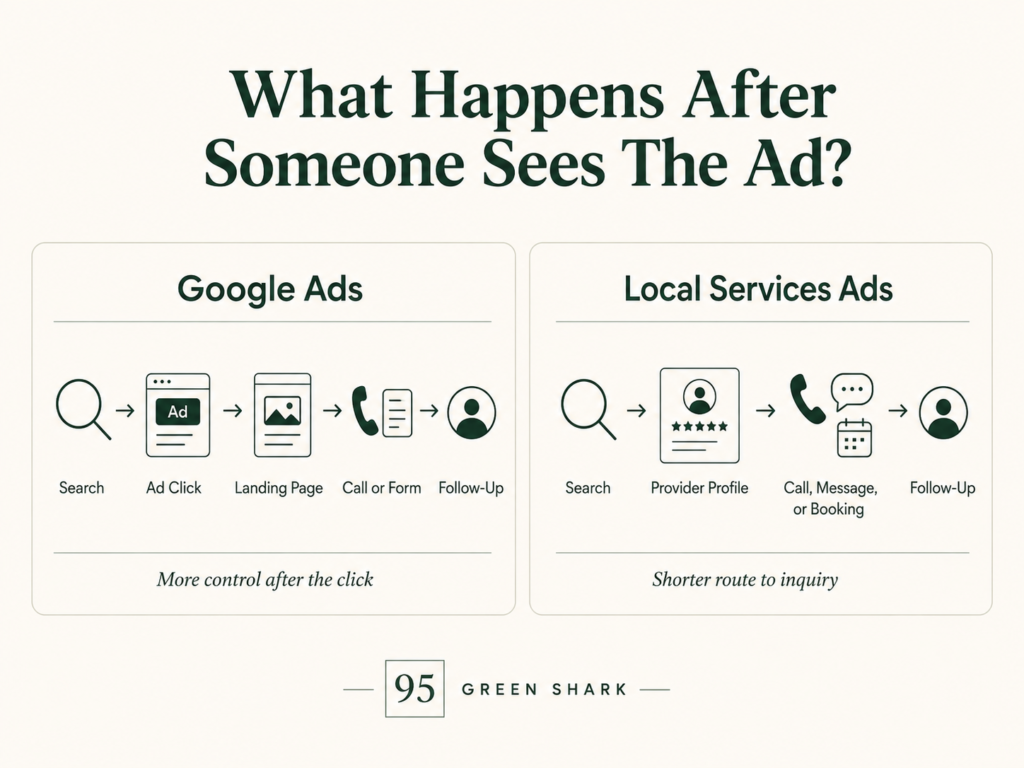
A standard Search Ad usually sends the customer to a website or landing page before they contact the business. A Local Services Ad can allow the customer to call, message, or book directly from the ad experience.
The Standard Google Ads Journey
A typical Search Ads journey looks like this: Search → Ad Click → Landing Page → Call Or Form → Follow-Up
After the click, the business controls most of what happens next.
It can decide:
- Which page the visitor sees
- Which service is emphasized
- What offer appears
- Which reviews or project photos are shown
- What call to action is used
- How the form is structured
- Which phone number is tracked
- What happens after the visitor converts
For example, someone searching for “roof replacement financing near me” could see an ad focused on financing and be sent to a dedicated page explaining payment options, roof materials, warranties, completed projects, and the estimate process.
That level of control allows the business to continue the exact conversation started by the search.
Google recommends keeping keywords, ad messaging, and landing-page content closely aligned. If an ad promises a specific service or offer, the visitor should be able to find that information easily on the destination page. (Google Ads Help)
The Local Services Ads Journey
A typical Local Services Ads journey may look like this: Search → Provider Profile → Call, Message, Or Booking → Follow-Up
The customer does not necessarily need to visit the business’s website first.
The Local Services unit may allow the person to:
- Review the provider’s rating
- Check the number of reviews
- See verification details
- Review services and service areas
- Check business hours
- Call the provider
- Send a message
- Schedule a booking where available
Google says potential customers can select a provider and contact the business through calls or message requests. Eligible providers may also allow customers to schedule directly through the ad. (Google Local Services Help)
Once the customer makes contact, however, the business still has to answer, qualify, follow up, and close the opportunity.
Google describes the point clearly: after the customer reaches out, the lead belongs to the provider to turn into a customer.
Standard Google Ads Gives You More Control Over Persuasion
Standard Google Ads gives the business more room to explain why the customer should choose it.
A dedicated landing page can include:
- Detailed service information
- Before-and-after photos
- Customer reviews
- Licenses and credentials
- Financing options
- Warranties
- Frequently asked questions
- Service-area information
- Multiple conversion options
This can be especially useful for expensive or complicated services.
A homeowner needing emergency drain cleaning may be ready to call immediately. Someone comparing several companies for a full kitchen remodel may need much more information before requesting a consultation.
Standard Google Ads gives the business more control over that education and persuasion process.
Local Services Ads Gives Customers A Shorter Route To Contact
Local Services Ads removes several steps between the search and the inquiry.
The customer can compare local providers and take action without first moving through a traditional landing page.
Its advantages may include:
- A shorter path to calls or messages
- Google Verified status where applicable
- Reviews visible within the ad experience
- Direct contact options
- Business details designed for local comparison
- Booking options in supported cases
This can work well for services where the customer already understands the problem and wants to speak with a provider quickly.
Examples may include:
- A leaking pipe
- A broken air conditioner
- An electrical fault
- Emergency roof damage
- Water restoration
- Appliance repair
The shorter path can reduce friction, but it also gives the business less control over the information the prospect sees before making contact.
Where Standard Google Ads Can Fail
A Search campaign can attract relevant traffic and still underperform after the click.
Common problems include:
- The landing page does not match the ad
- The page loads slowly
- The service is difficult to understand
- The call to action is unclear
- Reviews and project proof are missing
- The form asks for too much information
- The phone number is difficult to find
- Conversion tracking is broken
- Poor-fit keywords generate irrelevant visits
Google considers landing-page usefulness, relevance, navigation, and whether the page meets the expectations created by the ad when assessing the landing-page experience.
This is why sending every paid visitor to a generic homepage is often a weak strategy. Our comparison of homepages and landing pages for quote-based service ads explains when each destination makes sense and why the page should match the buyer’s immediate intent.
Where Local Services Ads Can Fail
Local Services Ads removes much of the traditional landing-page journey, but it introduces different risks.
The campaign may struggle when:
- Calls go unanswered
- Messages remain unanswered
- Staff do not recognize “Call from Google”
- Reviews are weak
- Job types are inaccurate
- Service areas are too broad
- Business hours are incorrect
- The company cannot accept more work
- Lead follow-up is inconsistent
Google says providers should respond to as many messages as possible and warns that regularly failing to answer calls or messages may affect ad ranking.
A direct lead route only helps when the business is ready to handle the contact.
Neither Journey Ends At The Inquiry
Both platforms still depend on what happens after the customer reaches out.
The full path is: Search → Ad Interaction → Lead → Qualification → Appointment → Estimate → Booked Job → Revenue
Google Ads gives the business more control before the inquiry.
Local Services Ads may reduce the number of steps before the inquiry.
Neither platform removes the need for:
- Fast response
- Clear qualification
- Professional communication
- Accurate estimates
- Consistent follow-up
- Sales tracking
The practical distinction is: Standard Google Ads gives you more control over the journey before the customer contacts you. Local Services Ads gives eligible providers a shorter route from search to direct contact.
LSA vs. Google Ads: Which One Gives You Better Leads?
Neither Google Ads nor Local Services Ads automatically produces better leads.
Google Ads may provide stronger targeting control. Local Services Ads may create a shorter route to a direct inquiry. But the quality of those inquiries still depends on the business, campaign, customer, and follow-up process.
Important factors include:
- Customer intent
- Service category
- Location
- Keyword targeting
- Selected job types
- Service areas
- Reviews
- Offer
- Pricing expectations
- Website or provider-profile quality
- Response speed
- Lead qualification
- Sales follow-up
A well-managed Google Ads campaign can outperform a poorly configured Local Services Ads account. A strong Local Services profile can also produce better opportunities than a Search campaign sending visitors to a weak landing page.
How Lead Quality Compares
| Factor | Standard Google Ads | Local Services Ads |
| Search control | Higher | Lower |
| Direct inquiry path | Usually follows a website click | Calls, messages, or bookings from the ad |
| Website dependence | Higher | Lower, but the website still supports trust |
| Review visibility | Depends on ad assets and destination page | Prominent within the provider profile |
| Eligibility screening | General Google Ads policies and verification | Category- and market-specific provider screening |
| Lead filtering | Keywords, negatives, targeting, ad copy, and landing pages | Job types, service areas, profile details, and availability |
| Conversion tracking | Highly customizable | Traditionally more lead-focused |
| Sales follow-up required | Yes | Yes |
The primary difference is not that one channel has good leads and the other has bad leads.
It is that each channel gives the business different tools for attracting, filtering, and measuring potential customers.
Why Cost-Per-Lead Comparisons Can Be Misleading
A business may say: “Our Local Services Ads leads cost less than our Google Ads leads.”
That could be true, but the comparison is incomplete unless both channels use the same definition of a lead.
For example:
Google Ads conversion: Any completed website form.
Local Services Ads lead: A phone call, message, or supported booking interaction that Google records as a lead.
Those actions are not necessarily equal.
The Google Ads form submissions might include:
- Job applicants
- Vendors
- Spam
- Customers outside the service area
- People asking about services the company does not provide
The Local Services calls might include:
- Customers contacting several providers
- Small jobs the business does not want
- Prospects who reject the estimate
- People who never answer the return call
- Valid inquiries that do not become appointments
A lower reported CPL may therefore reflect a different measurement standard rather than better business performance.
Define What A Good Lead Actually Means
Before comparing the platforms, decide how the business will classify each stage.
Lead
A person contacts the business through a form, call, message, or booking request.
Qualified Lead
The person wants a service the business provides, is located within the service area, has a reasonable timeline, and meets the company’s basic project requirements.
Appointment
The business schedules a visit, consultation, inspection, or service call.
Estimate
The business evaluates the work and provides a price or proposal.
Booked Job
The customer accepts the estimate and commits to the service.
Revenue
The business completes or begins the work and records the value generated.
Without these definitions, the platforms cannot be compared fairly.
The more meaningful path is: Ad Spend → Lead → Qualified Lead → Appointment → Estimate → Booked Job → Revenue
Compare The Metrics That Affect The Business
Do not stop at clicks, total leads, or platform-reported CPL.
Compare:
- Cost per qualified lead
- Qualification rate
- Cost per appointment
- Appointment rate
- Cost per estimate
- Cost per booked job
- Lead-to-job close rate
- Revenue per lead
- Revenue generated
- Gross profit
- Return on advertising spend
Consider two campaigns:
| Metric | Google Ads | Local Services Ads |
| Ad spend | $3,000 | $3,000 |
| Reported leads | 20 | 30 |
| Reported cost per lead | $150 | $100 |
| Qualified leads | 14 | 12 |
| Booked jobs | 7 | 4 |
| Cost per booked job | $429 | $750 |
Based only on reported CPL, Local Services Ads appears stronger.
Once qualified leads and booked jobs are included, Google Ads performed better in this example.
The opposite result is also possible. The point is that lead count alone does not answer the question.
Google Ads Provides More Flexible Conversion Measurement
Google Ads can measure several types of valuable actions, including:
- Website forms
- Phone calls
- Purchases
- App actions
- Appointment requests
- Imported offline conversions
- Qualified leads recorded in a CRM
- Closed sales imported back into Google Ads
Google says conversion measurement helps advertisers understand which campaigns, ads, and keywords contribute to valuable customer actions. Website conversion measurement can also show what users do after interacting with an ad.
This gives businesses the ability to optimize toward deeper outcomes rather than treating every form submission equally.
For example, a roofing company could initially record all estimate requests but later import which inquiries became qualified opportunities or signed contracts. That creates a more useful performance picture than total forms alone.
The tracking still has to be configured correctly. Broken tags, duplicate form events, untracked calls, and inconsistent CRM records can make a Google Ads campaign look better or worse than it really is.
Local Services Reporting Focuses More Directly On Lead Activity
Local Services Ads reporting has traditionally focused on leads generated through the platform.
Google’s reporting dashboard can show total spending and leads generated through channels such as calls, messages, and bookings.
Advertisers can use the lead inbox to:
- Review leads
- Contact potential customers
- Listen to eligible call recordings
- Review booked appointments
- Update lead information
- Record whether work was booked
Google also allows advertisers in supported markets to mark leads as booked and add information such as job type and customer name for later reporting.
That makes the reporting useful for understanding lead activity, but the business should still connect those leads to its CRM, estimates, booked-job values, and revenue.
A lead marked as booked does not automatically show whether the project was worth $250 or $25,000 unless the business records that information somewhere.
The Reporting Difference Is Beginning To Change
Google began the first phase of moving selected U.S. Local Services advertisers into a Performance Max campaign experience within Google Ads in August 2026. Google says later phases will expand the migration to broader groups of advertisers.
As a result, some businesses may still use the traditional Local Services lead inbox and reporting interface, while migrated accounts may manage more of their campaign activity through Google Ads.
Dashboard labels, bidding options, reports, and management steps may therefore differ depending on whether an account has been migrated.
The underlying measurement principle remains the same:
Do not judge either channel only by the number Google reports at the top of the dashboard. Connect each lead to qualification, appointments, estimates, booked work, revenue, and profit.
Lead Source And Lead Handling Must Be Evaluated Separately
A campaign can generate legitimate opportunities and still appear unsuccessful because the business handles them poorly.
Common lead-handling problems include:
- Calls going unanswered
- Slow return calls
- Messages sitting for several days
- Staff failing to ask qualification questions
- Estimates taking too long
- No structured follow-up
- Leads being lost between the advertising platform and CRM
- Nobody recording the final outcome
Google says Local Services advertisers can receive calls and messages through their ads and should use the lead inbox to contact potential customers and review booked appointments.
Google Ads leads face the same operational reality. A well-targeted form submission has little value when nobody responds until three days later.
When comparing lead quality, ask two separate questions:
- Did the platform generate the right type of opportunity?
- Did the business handle that opportunity effectively?
Do not blame targeting for every sales failure, and do not blame the sales team for clearly irrelevant targeting.
So, Which One Produces Better Leads?
The honest answer is:
- Google Ads may produce stronger leads when detailed keyword control, negative keywords, service-specific messaging, and focused landing pages are used well.
- Local Services Ads may produce stronger leads when the business has an eligible category, accurate job types, sensible service areas, strong reviews, and fast response handling.
- Either platform can produce weak results when targeting, tracking, qualification, or follow-up is poor.
The winner should be determined by business outcomes, not platform labels.
Compare both channels using the same definitions and the same stages: Qualified Lead → Appointment → Estimate → Booked Job → Revenue → Gross Profit
That is how a home service business can determine which platform is generating better leads, not simply which dashboard shows the lower cost per inquiry.
Should Your Business Use Google Ads, Local Services Ads, Or Both?
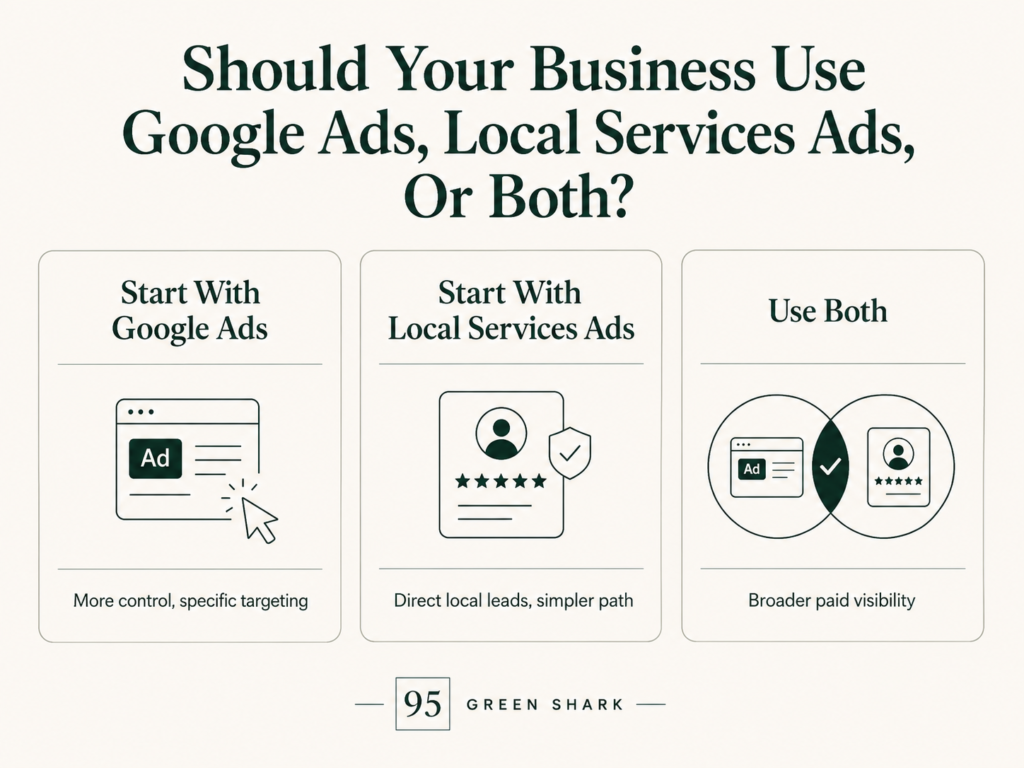
The right choice depends on your eligibility, service type, budget, website, review profile, and ability to manage leads.
Start With Standard Google Ads When:
- Your category is not eligible for Local Services Ads.
- You want precise keyword and location control.
- You need separate campaigns for specific services or offers.
- You have strong landing pages.
- You want to separate residential and commercial services.
- You need detailed conversion and CRM tracking.
- Customers need more information before requesting a quote.
- You want to test different messages, offers, or calls to action.
For example, a remodeling company promoting high-value kitchen renovations may need a landing page with project photos, financing information, service details, reviews, and a clear consultation process. Standard Google Ads gives the business more control over that journey.
Start With Local Services Ads When:
- Your business operates in an eligible category and market.
- You can complete the required screening and verification.
- You serve a clearly defined local area.
- You want direct calls or messages.
- You have a competitive review profile.
- Someone can respond quickly.
- Your services match Google’s available job types.
- You can track which inquiries become booked work.
An emergency plumber with strong reviews, reliable phone coverage, and a realistic service area may benefit from the shorter path between the search and the call.
Businesses considering this route should review our guide on how to set up Google Local Services Ads for home service businesses before launching.
Use Both When:
Using both may make sense when the business can support the budget and measure each channel separately.
Local Services Ads can help capture direct local inquiries, while standard Google Ads can support more precise services, offers, locations, and landing pages.
A combined strategy might look like this:
| Local Services Ads | Standard Google Ads |
| Emergency AC repair | Full HVAC replacement |
| Plumbing service calls | Financing promotions |
| Electrical repair requests | Commercial electrical services |
| Roof repair inquiries | Location-specific roofing campaigns |
| Direct local service leads | High-value remodeling consultations |
Running both does not mean duplicating the same campaign twice. Each channel should have a clear role.
The core principle is:
Use Local Services Ads to capture direct local demand where your business is eligible and competitive. Use standard Google Ads when you need deeper targeting, customized messaging, dedicated landing pages, and greater conversion control.
Google is also moving Local Services campaign management into a more integrated Google Ads experience. Depending on the account’s migration status, advertisers may still see the older Local Services dashboard or manage more settings and reporting inside Google Ads.
Frequently Asked Questions
Are Google Ads And Local Services Ads The Same?
No. Standard Google Ads generally charges for clicks and offers detailed control over targeting, ad messaging, landing pages, and conversions. Local Services Ads charges for valid lead interactions and is limited to eligible local service providers.
Can A Business Run Google Ads And Local Services Ads At The Same Time?
Yes. An eligible business can run both. Results should be measured separately so the company can compare qualified leads, appointments, booked jobs, revenue, and cost per booked job.
Are Local Services Ads Better Than Google Ads?
Not universally. Local Services Ads may work well for direct local calls and messages. Standard Google Ads provides more control over keywords, offers, landing pages, and conversion tracking.
Do Local Services Ads Send People To Your Website?
Not necessarily. Customers may call, message, or book directly through the Local Services experience. They may still visit the provider’s website or Google Business Profile before hiring.
Do You Need A Google Business Profile For Local Services Ads?
Local Services advertisers generally need the correct verified Google Business Profile connected to the account, along with the screening and verification required for their category and market.
Do Local Services Ads Use Keywords?
Not in the same way as standard Search campaigns. Local Services Ads relies more on approved categories, job types, service areas, provider information, availability, and the customer’s search.
Not Sure Whether Google Ads, Local Services Ads, Or Both Fit Your Business?
95 Green Shark can help you assess your eligibility, service areas, paid-search strategy, landing pages, lead tracking, and follow-up process before you commit more budget to the wrong campaign type.